Fast and Intuitive Schedule Changes with Drag & Drop
Free Movement on the Timeline
If you've ever managed a Gantt chart with Excel, you probably have painful memories of having to manually erase and repaint the colors of cells one by one with a mouse even if the schedule was delayed by just one day. Rudia Online Gantt provides a modern Drag & Drop interface that completely eliminates this pain.
Try clicking and dragging the brilliantly colored Task Bars rendered on the timeline to the left or right with your mouse. The start and end dates of the task change in real time, and the moment you release the mouse button, those dates are automatically updated (synchronized) in the Date columns of the left data grid.
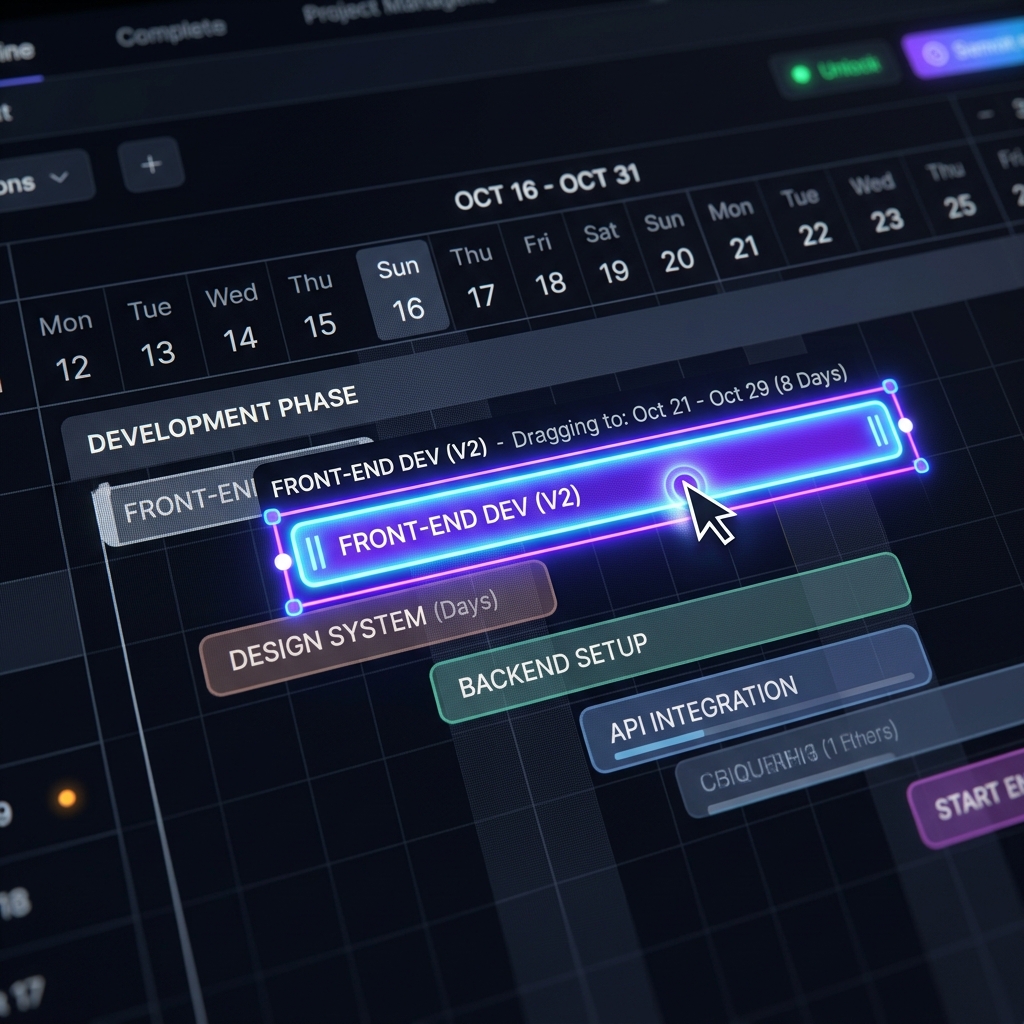
[Figure 3] Easy schedule changes via simple mouse Drag & Drop
3 Core Editing Features via Mouse Interaction
It's not just about moving the position of the bar. Depending on which specific part of the task bar you click and drag, three completely different editing functions are performed.
| Mouse Position & Action | Performed Function (Result) |
|---|---|
| Dragging the Body (Center) | The start and end dates move as a whole while the Duration of the task is maintained. Used when a project schedule is simply postponed by a few days. |
| Dragging Left/Right Edge | Resizes the Duration of the task (lengthens or shortens it). You can intuitively adjust the length when a task finishes earlier than expected or needs extension due to high difficulty. |
| Dragging Internal Progress Bar | By grabbing and pulling the end of the dark fill (Progress) line displayed inside the bar, you can directly change the Progress (%) value. |
Powerful Synergy with Auto-Scheduling
The moment this Drag & Drop feature truly shines is when there are 'Dependencies' (predecessor/successor arrows) connected between tasks. If you grab an earlier task with your mouse and push it back a few days, all subsequent tasks connected by arrows will tumble backward like dominos in sync with your mouse movement, letting you experience the magical Auto-Scheduling. With this single drag operation, you have saved the hours you would have spent updating Excel all day!